
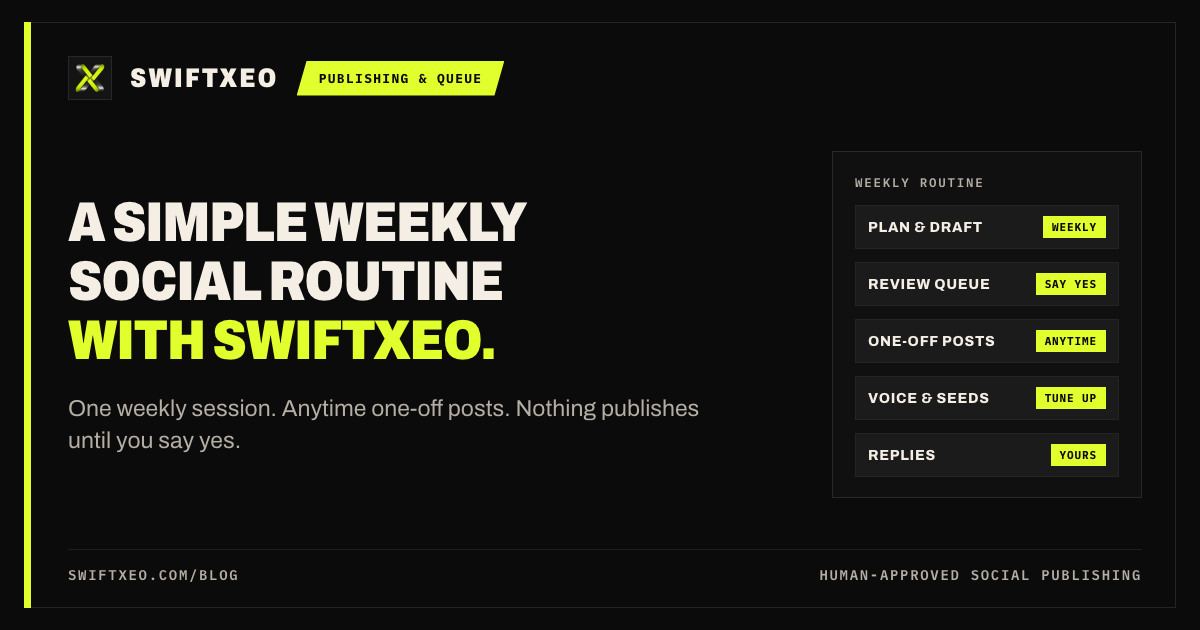
There is no single right way to run your social channels. Some people plan a whole month ahead. Others write when an idea hits and publish the same afternoon.
What follows is a simple starter routine that works well for solo creators and small businesses using SwiftXEO. Think of it as a starting point you can adapt. Keep the parts that fit your week and change the rest.
Why one weekly session helps
Sitting down once a week to prep your regular posts keeps social media from creeping into every corner of your workday. Instead of opening several apps every morning and wondering what to say, you do the thinking in one sitting.
Pick a quiet slot that suits you, such as Monday morning, or late in the week to plan the next one. Open your assistant in Claude, ChatGPT, or Gemini, or open the SwiftXEO web app if you prefer to write without an assistant.
Bring whatever is real in your work right now: - Something you built, shipped, or finished recently - A new article on your site or a product page worth sharing - A question a customer or reader asked you - A picture or short clip you already took
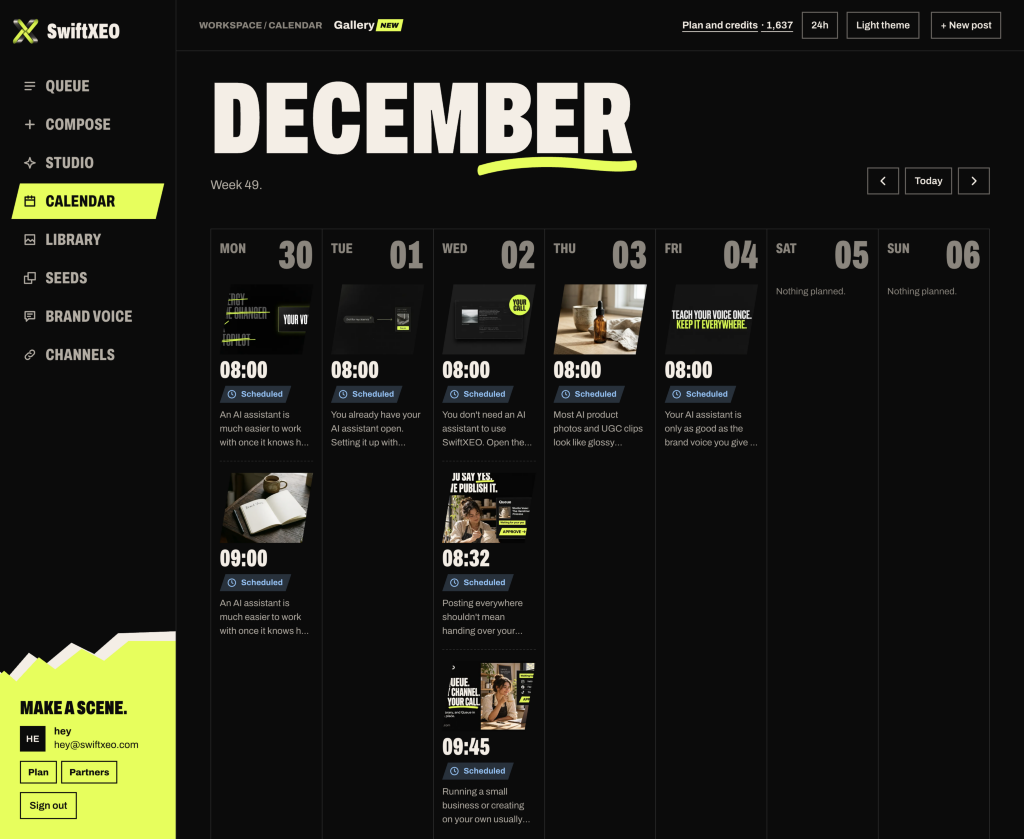
Ask your assistant to shape native drafts for the channels you want to use, pulling existing pictures or short clips from your Library, or creating new ones in Studio when you need fresh visuals. Everything lands in your Queue as drafts. Nothing goes live yet.
Reviewing your Queue
Reviewing your Queue works best as its own small step, separate from writing. Open your Queue and read each draft with fresh eyes, checking whether it sounds like something you would say out loud.
If a line feels stiff, rewrite it in your own words. If a picture does not fit, swap it from your Library. If a post feels unnecessary, delete it. You only say yes to the drafts you are happy to put your name on.
Once you approve them, SwiftXEO publishes each post to its channel at the time you picked.
What about spontaneous, one-off posts?
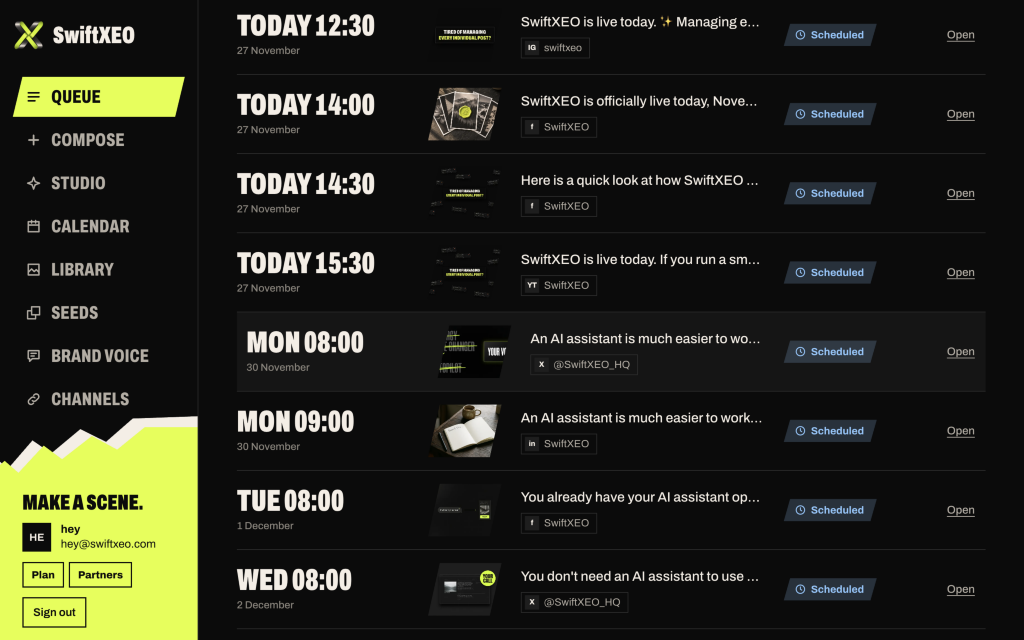
Planned posts give your week a steady base, while spontaneous posts keep your channels feeling alive. You do not need to wait for your weekly session when something timely happens.
If you take a great photo in your workshop, publish a new blog post, or have a quick thought worth sharing, drop it straight into your assistant or the SwiftXEO web app. You can leave the schedule time blank so it goes out as soon as you approve it, or slot it into an open spot later in the week.
How it fits together
| Habit | When to do it | What happens in SwiftXEO |
|---|---|---|
| Weekly planning | Once a week | Start from real updates, draft across channels with your assistant, and batch-approve in your Queue |
| One-off posts | Anytime | Share a timely photo, link, or thought and publish right after you say yes |
| Repurposing | Whenever you publish a post or video | Turn an article URL or a video in your Library into native drafts for your other channels |
| Voice and visual tune-up | From time to time | Refine your Brand Voice profile and refresh your saved Seeds on the Seeds page |
| Replies and conversations | Day to day | Open the social apps directly to answer comments and messages yourself |
Getting more from what you already made
You do not need a brand new idea for every channel. When you publish an article on your website, hand the link to your assistant and ask for a handful of distinct angles tailored to each platform. When you record a video, upload it to your Library and turn it into written posts for your other channels.
Every now and then, it is worth looking back at an earlier post that started good conversations on Instagram or Facebook, bringing the media back into your Library, and sharing a fresh take on LinkedIn or X.
Keeping your voice and Seeds current
Your voice changes as your work evolves. Whenever you notice yourself editing out the same phrase over and over, open your Brand Voice page and add it to the words you want to avoid. When you write a post you are proud of, save it as a sample post so future drafts stay close to how you talk.
Do the same on the Seeds page. Keeping a few saved Seeds for your product, your place, or your style gives you a clean starting point when you need a new picture or short clip, without having to stage a photo shoot from scratch.
Where you still show up yourself
Software helps with drafting, formatting, pictures, and scheduling. Conversations are yours. Once your posts are scheduled, spend your day-to-day social time directly inside the platforms replying to comments, answering messages, and talking with people in your own words.